If you have been hearing the term “agentic AI” everywhere lately and wondering what it actually means for your business, you are in the right place. This guide is written specifically for Canadian small business owners who want to understand what AI agents are, why they matter, and how to start using them — without writing a single line of code.
By the end of this article, you will have a clear picture of how agentic AI works, a list of tools you can try today, and a step-by-step walkthrough for building your very first automated workflow.
What Is Agentic AI?
You have probably used AI before — maybe you have asked ChatGPT a question, or used Google’s AI to summarise search results. That kind of AI is reactive. You ask it something, it gives you an answer, and then it stops. It waits for your next instruction.
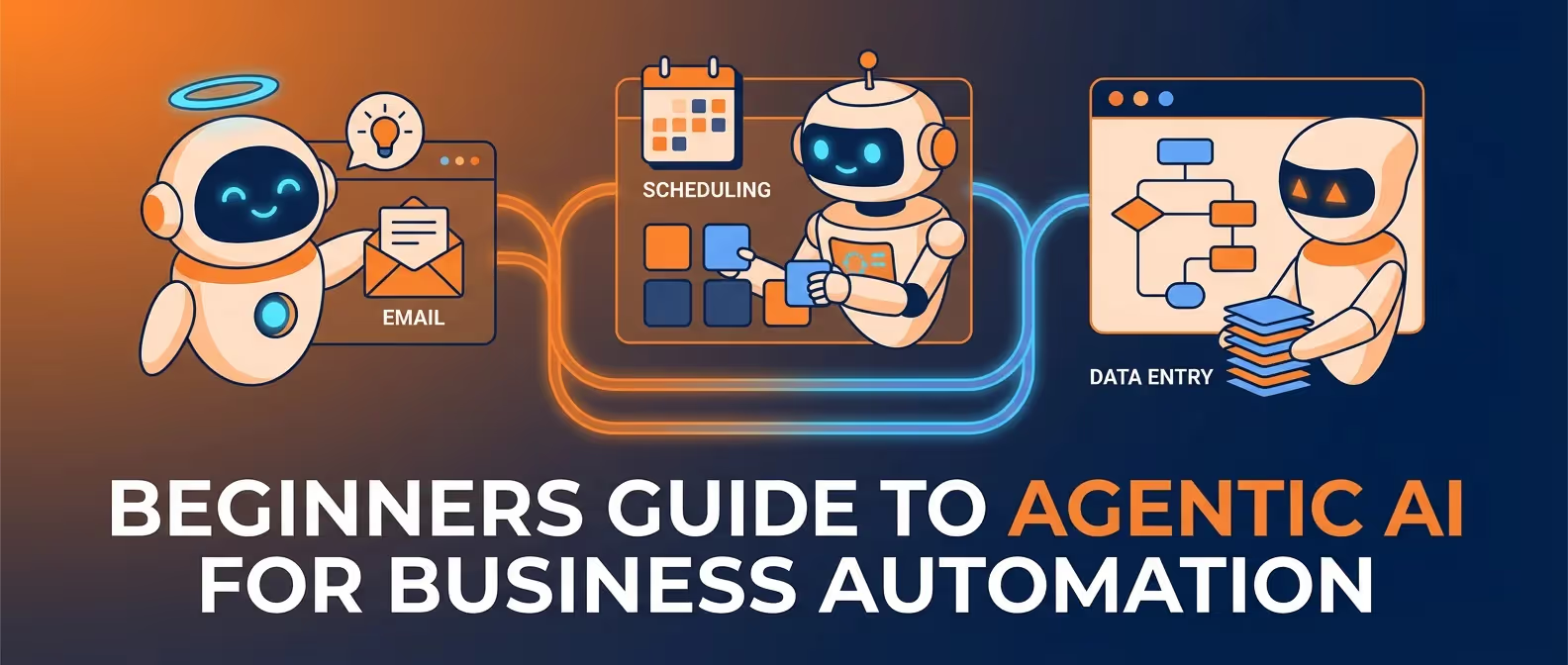
Agentic AI is different. An AI agent does not just answer a question — it takes action. You give it a goal, and it figures out the steps to accomplish that goal on its own. It can make decisions, use tools, check its own work, and even ask for help when it gets stuck.
A Simple Analogy
Think of regular AI like a very knowledgeable employee who only answers when spoken to. You ask them a question, they give a great answer, and then they sit quietly until you ask the next one.
An AI agent is more like a reliable assistant you can delegate entire tasks to. You say, “Every time a customer fills out the contact form on our website, send them a personalised thank-you email, add their details to our CRM, and flag the inquiry for me to review in the morning.” The agent handles all of that, every single time, without you lifting a finger.
The Key Characteristics of AI Agents
- Autonomy — They can complete multi-step tasks without constant supervision
- Tool use — They can connect to your email, calendar, spreadsheets, and other business tools
- Decision-making — They can evaluate information and choose the best course of action
- Persistence — They keep working in the background, 24/7
Why 2026 Is the Year Agentic AI Goes Mainstream
Agentic AI is not a brand-new concept, but 2026 is the year it has become genuinely accessible to everyday businesses. Here is why:
The tech giants are all in. IBM has integrated agentic capabilities into its Watson platform. Google launched Agentspace for enterprise customers. Microsoft has embedded AI agents directly into its Copilot ecosystem. When companies of this size commit this heavily, the technology is ready.
No-code tools have caught up. A year ago, building an AI agent required programming knowledge. Today, platforms like Zapier, n8n, and Make.com let you drag and drop your way to a fully functional AI workflow. The barrier to entry has essentially disappeared.
The cost has dropped dramatically. Running AI models used to be expensive. In 2026, many of these tools offer generous free tiers, and paid plans start as low as $20-30 per month — less than the cost of a single hour of manual administrative work.
Real Examples: What AI Agents Can Do for Your Small Business
Let us move past the theory and look at practical, real-world uses that Canadian small businesses are implementing right now.
1. Automatically Respond to Customer Inquiries
When a potential customer fills out your contact form at 11 PM on a Friday, an AI agent can immediately send a personalised acknowledgement email, categorise the type of inquiry (sales, support, partnership), and route it to the right team member for follow-up on Monday morning. No lead falls through the cracks.
2. Schedule and Post Social Media Content
An AI agent can monitor your blog for new posts, automatically generate social media captions tailored to each platform (LinkedIn, Instagram, Facebook), schedule them at optimal posting times, and even respond to basic comments. You go from spending hours on social media to spending minutes reviewing what the agent has drafted.
3. Process Invoices and Bookkeeping
Imagine forwarding every invoice email to a dedicated address. An AI agent reads the invoice, extracts the key details (vendor, amount, due date, tax), enters it into your accounting software, and flags anything unusual for your review. For businesses that process dozens of invoices monthly, this saves hours of tedious data entry.
4. Monitor Website Uptime and Performance
An AI agent can check your website every few minutes, alert you immediately if it goes down, run basic diagnostics to identify the issue, and even restart services or notify your hosting provider automatically. You find out about problems before your customers do.
5. Generate Reports from Business Data
Instead of manually pulling numbers from different tools every Monday morning, an AI agent can gather data from your analytics, sales platform, and email marketing tool, compile it into a clean summary report, and deliver it to your inbox before you have finished your coffee.
No-Code Tools to Get Started
You do not need to hire a developer to start using agentic AI. Here are the best no-code platforms available right now, ranked by ease of use for beginners.
Zapier (Best for Absolute Beginners)
Zapier has been the king of no-code automation for years, and their new AI-powered features make it even more powerful. You can describe what you want in plain English, and Zapier will suggest and build the workflow for you. Free tier available with up to 100 tasks per month.
n8n (Best for Growing Businesses)
n8n is an open-source automation platform that gives you more flexibility than Zapier at a lower cost. It has a visual workflow builder, supports hundreds of integrations, and — crucially for privacy-conscious Canadian businesses — can be self-hosted on Canadian servers. Their cloud plan starts at a very reasonable price point.
Make.com (Best Visual Builder)
Formerly known as Integromat, Make.com has the most intuitive visual interface of any automation tool. If you think in flowcharts, you will love Make. It is excellent for more complex workflows that branch based on conditions.
Microsoft Copilot Studio (Best for Microsoft 365 Users)
If your business already runs on Microsoft 365 (Outlook, Teams, SharePoint), Copilot Studio lets you build AI agents that work natively within that ecosystem. It is the most natural choice for businesses already invested in Microsoft tools.
Google Agentspace (Best for Google Workspace Users)
Google’s answer to agentic AI for business, Agentspace connects deeply with Google Workspace apps. If your team lives in Gmail, Google Docs, and Google Sheets, this is worth exploring.
Step-by-Step: Build Your First AI Workflow
Let us build something real. We will create a simple workflow that automatically responds to new contact form submissions — one of the most immediately valuable automations for any small business.
We will use Zapier for this example because it has the gentlest learning curve.
Step 1: Sign Up and Define Your Trigger
Create a free account at zapier.com. Click “Create a Zap” (Zapier’s term for an automated workflow). For your trigger, select the tool where your form submissions arrive. This could be Google Forms, Typeform, your website’s contact form plugin, or even a Gmail filter that catches form notification emails.
Step 2: Add an AI Step to Personalise the Response
Add a new step and choose “AI by Zapier”. In the prompt field, write something like:
“Based on the following contact form submission, write a friendly, professional thank-you email. Acknowledge their specific question or request. Keep it under 150 words. Sign it from [Your Name] at [Your Business].”
Map the form submission data into the prompt so the AI has context about what the customer asked.
Step 3: Send the Email
Add a final step to send the email. Choose Gmail or Microsoft Outlook as your action app. Map the customer’s email address as the recipient, use a subject line like “Thanks for reaching out to [Your Business]!”, and use the AI-generated text as the email body.
Step 4: Test and Activate
Click “Test” to run through the workflow with sample data. Review the generated email to make sure it sounds right. Adjust your AI prompt if needed — this is the fun part, and you can tweak the tone until it matches your brand perfectly.
Once you are happy, turn the Zap on. From now on, every new form submission gets a personalised response within seconds, day or night.
Addressing Common Concerns
We hear these questions from business owners all the time. Let us address them honestly.
”How much does this cost?”
Most tools offer free tiers that are sufficient for small businesses just getting started. Paid plans typically range from $20 to $50 per month for small teams. Compare that to the value of the hours you will save — for most businesses, the return on investment is obvious within the first week.
”What about data privacy?”
This is an important question, especially for Canadian businesses subject to PIPEDA (the Personal Information Protection and Electronic Documents Act). Here are the key things to look for:
- Choose tools with Canadian or SOC 2 compliant data centres. n8n can be self-hosted in Canada, giving you full control.
- Read the privacy policies of any tool you connect to your customer data.
- Avoid sending sensitive personal information (like health records or financial details) through AI workflows unless the tool is specifically certified for that purpose.
- Be transparent with your customers about how their data is processed.
”What if the AI makes a mistake?”
Start with low-risk automations where a mistake is easy to catch and correct. The contact form auto-reply we built above is a perfect example — if the AI generates an awkward email, the worst case is that you send a slightly imperfect thank-you note. As you build confidence, you can tackle more complex workflows and add human approval steps for anything critical.
”What about Canadian data residency?”
Some industries and government contracts require data to stay within Canada. If this applies to you, look for tools that offer Canadian hosting options. n8n’s self-hosted option is ideal here — you can run it on a Canadian cloud provider like OVHcloud Canada or on Canadian regions of AWS and Azure.
”Is this reliable enough to depend on?”
Modern automation platforms have 99.9%+ uptime and built-in error handling. If a step fails, the workflow pauses and notifies you rather than doing something wrong. That said, always keep a human in the loop for business-critical processes.
Your Getting Started Checklist
Ready to bring agentic AI into your business? Here is your action plan:
- Identify one repetitive task that takes you at least 30 minutes per week. Responding to inquiries, data entry, and report generation are great starting points.
- Pick one tool from the list above and create a free account. If you are not sure which, start with Zapier — it is the most beginner-friendly.
- Build your first workflow using the step-by-step guide above. Keep it simple. You can always add complexity later.
- Test thoroughly before turning it on for real customers. Run at least five test submissions and review every output.
- Monitor for the first week. Check in daily to make sure everything is running smoothly. Most issues surface in the first few days.
- Expand gradually. Once your first workflow is humming along, identify the next task to automate. Most businesses find three to five high-impact automations within their first month.
- Document what you have built. Keep a simple record of your workflows so your team understands what is automated and how it works.
Need Help Getting Started?
Agentic AI is powerful, but we understand that every business is different. If you want expert help identifying the right automations for your specific situation, designing workflows that integrate with your existing tools, or building a custom AI strategy for your business — we are here to help.
Get in touch with our team for a free consultation. We work with Canadian small businesses every day to implement smart, practical automation that saves real time and money.
The future of business is not about replacing people with AI. It is about giving your team superpowers so they can focus on the work that actually matters — serving your customers, growing your business, and doing what they do best.