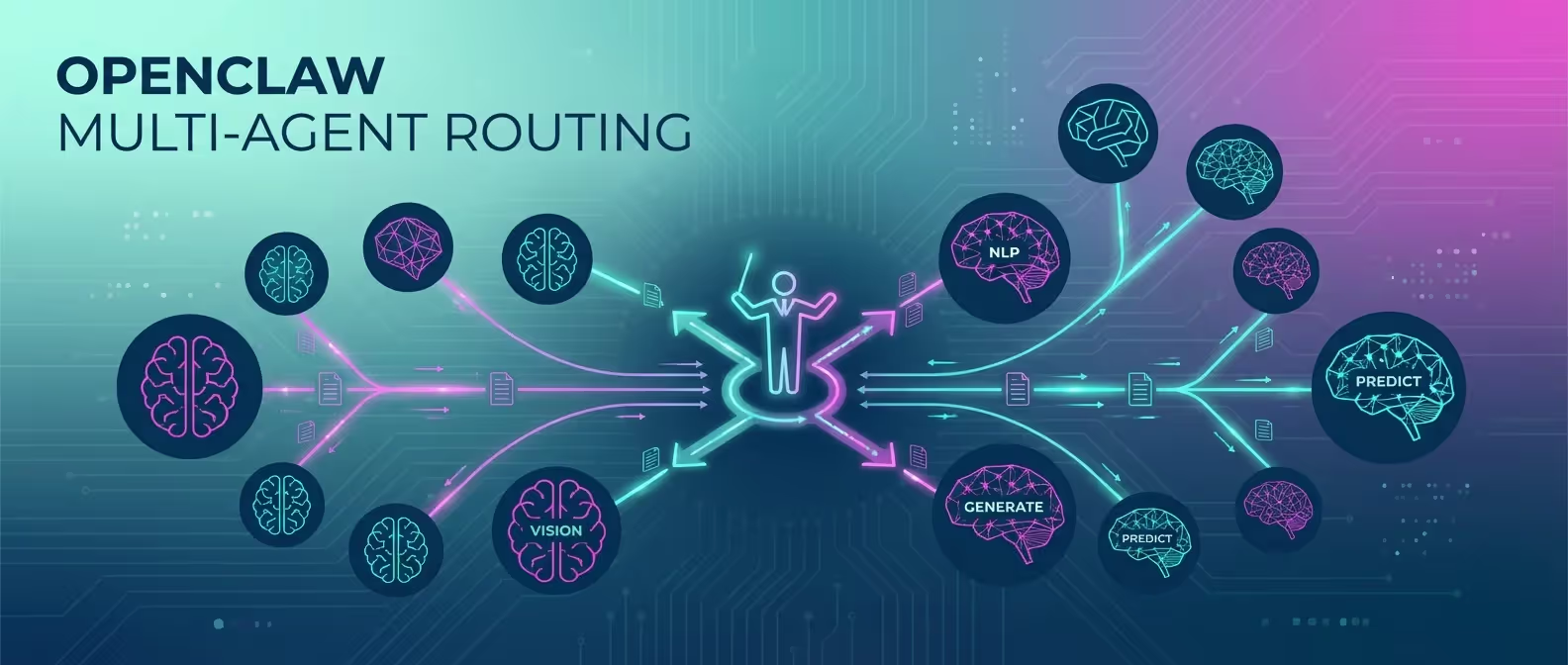
Why limit yourself to one AI model when you can use the best one for every task? OpenClaw’s multi-agent routing lets you configure multiple LLM providers and intelligently route requests based on the type of question, the channel it comes from, or explicit user commands.
In this guide, we’ll set up a multi-agent OpenClaw deployment that uses Claude for coding, GPT for creative tasks, and Gemini for research — all through a single gateway.
Why Multi-Agent Routing?
Different AI models have different strengths:
| Model | Best For |
|---|---|
| Claude 3.5 Sonnet | Code generation, technical analysis, long-context reasoning |
| GPT-4o | Creative writing, conversational tasks, image understanding |
| Gemini 2.0 Flash | Web search, research, real-time information, speed |
| Local Models (Ollama) | Privacy-sensitive tasks, offline use, cost savings |
Multi-agent routing gives you the best of all worlds without switching between apps or interfaces.
Prerequisites
- OpenClaw installed and running (installation guide)
- API keys from at least 2 LLM providers
- OpenClaw v3.1+ (multi-agent was added in this version)
Step 1: Configure Multiple Providers
Add all your AI providers to the OpenClaw config:
# ~/.openclaw/config.yaml
ai:
  # Default model used when no routing rule matches
  default_provider: "anthropic"
  default_model: "claude-3.5-sonnet"

  providers:
    anthropic:
      api_key: "${ANTHROPIC_API_KEY}"
      models:
        - name: "claude-3.5-sonnet"
          max_tokens: 8192
          temperature: 0.3
        - name: "claude-3-haiku"
          max_tokens: 4096
          temperature: 0.5

    openai:
      api_key: "${OPENAI_API_KEY}"
      models:
        - name: "gpt-4o"
          max_tokens: 4096
          temperature: 0.7
        - name: "gpt-4o-mini"
          max_tokens: 2048
          temperature: 0.5

    google:
      api_key: "${GOOGLE_API_KEY}"
      models:
        - name: "gemini-2.0-flash"
          max_tokens: 8192
          temperature: 0.4

    ollama:
      host: "http://localhost:11434"
      models:
        - name: "llama3.2:70b"
          max_tokens: 4096
          temperature: 0.6
Step 2: Define Routing Rules
Routing rules determine which model handles each request. Rules are evaluated in order — the first match wins.
# ~/.openclaw/config.yaml
routing:
  rules:
    # Rule 1: Code-related requests → Claude
    - name: "coding"
      match:
        keywords: ["code", "function", "debug", "error", "implement", "refactor",
                    "javascript", "python", "typescript", "rust", "api", "sql",
                    "git", "deploy", "docker", "css", "html", "react"]
      route:
        provider: "anthropic"
        model: "claude-3.5-sonnet"
      description: "Technical and coding tasks"

    # Rule 2: Creative tasks → GPT-4o
    - name: "creative"
      match:
        keywords: ["write", "story", "poem", "creative", "brainstorm", "ideas",
                    "name", "slogan", "tagline", "marketing", "copy", "email draft"]
      route:
        provider: "openai"
        model: "gpt-4o"
      description: "Creative writing and ideation"

    # Rule 3: Research → Gemini Flash
    - name: "research"
      match:
        keywords: ["search", "find", "latest", "news", "research", "compare",
                    "what is", "who is", "when did", "how many", "statistics"]
      route:
        provider: "google"
        model: "gemini-2.0-flash"
      description: "Research and real-time information"

    # Rule 4: Quick/simple questions → Haiku (fast + cheap)
    - name: "quick"
      match:
        max_input_tokens: 100  # Short questions
      route:
        provider: "anthropic"
        model: "claude-3-haiku"
      description: "Quick simple responses"

    # Rule 5: Privacy-sensitive → Local model
    - name: "private"
      match:
        keywords: ["private", "confidential", "secret", "personal", "password",
                    "credential", "salary", "medical"]
      route:
        provider: "ollama"
        model: "llama3.2:70b"
      description: "Privacy-sensitive queries stay local"
Step 3: Channel-Based Routing
You can also route based on which messaging channel the request comes from:
routing:
  channel_overrides:
    # Dev team Discord channel always uses Claude
    discord:
      channels:
        "dev-chat":
          provider: "anthropic"
          model: "claude-3.5-sonnet"
        "marketing":
          provider: "openai"
          model: "gpt-4o"

    # Telegram defaults to fast model
    telegram:
      default:
        provider: "google"
        model: "gemini-2.0-flash"
Step 4: Manual Model Selection
Users can explicitly choose a model using prefixes:
routing:
  manual_prefixes:
    "claude:": { provider: "anthropic", model: "claude-3.5-sonnet" }
    "gpt:": { provider: "openai", model: "gpt-4o" }
    "gemini:": { provider: "google", model: "gemini-2.0-flash" }
    "local:": { provider: "ollama", model: "llama3.2:70b" }
Usage in any channel:
claude: Write a TypeScript function for binary searchgpt: Write a compelling product description for wireless earbudsgemini: What are the latest AI developments this week?local: Review this contract clause (stays completely local)Step 5: Fallback Configuration
What happens when a provider is down? Configure fallbacks:
routing:
  fallback:
    # If primary provider fails, try these in order
    chain:
      - provider: "anthropic"
        model: "claude-3.5-sonnet"
      - provider: "openai"
        model: "gpt-4o"
      - provider: "google"
        model: "gemini-2.0-flash"
      - provider: "ollama"
        model: "llama3.2:70b"

    # Retry configuration
    max_retries: 2
    retry_delay_ms: 1000

    # Notify on failover
    notify_on_failover: true
Step 6: Cost Tracking & Budgets
Multi-model usage can get expensive. Set budgets per provider:
routing:
  budgets:
    daily_limit_usd: 25.00

    per_provider:
      anthropic:
        daily_limit_usd: 15.00
        alert_at_usd: 12.00
      openai:
        daily_limit_usd: 8.00
        alert_at_usd: 6.00
      google:
        daily_limit_usd: 5.00
        alert_at_usd: 4.00
      ollama:
        daily_limit_usd: 0  # Free (local)

    # When budget is exceeded
    over_budget_action: "fallback_to_cheapest"  # or "block" or "notify"
Check your usage anytime:
openclaw usage --today┌──────────────┬──────────┬────────────┬─────────┐
│ Provider │ Requests │ Tokens │ Cost │
├──────────────┼──────────┼────────────┼─────────┤
│ Anthropic │ 47 │ 124,500 │ $4.21 │
│ OpenAI │ 12 │ 38,200 │ $1.89 │
│ Google │ 31 │ 89,000 │ $0.67 │
│ Ollama │ 8 │ 22,100 │ $0.00 │
├──────────────┼──────────┼────────────┼─────────┤
│ Total │ 98 │ 273,800 │ $6.77 │
└──────────────┴──────────┴────────────┴─────────┘Step 7: A/B Testing Models
Want to compare model quality? Enable A/B routing:
routing:
  ab_testing:
    enabled: true
    experiments:
      - name: "code-quality-test"
        match:
          keywords: ["code", "function", "implement"]
        variants:
          - provider: "anthropic"
            model: "claude-3.5-sonnet"
            weight: 50
          - provider: "openai"
            model: "gpt-4o"
            weight: 50
        log_responses: true
        log_path: "~/.openclaw/data/ab-results/"
After running the experiment, review results:
openclaw ab-results code-quality-test --summaryRestart and Verify
After configuring multi-agent routing:
openclaw gateway restart

# Verify all providers are connected
openclaw diagnostics --providers
┌──────────────┬──────────┬──────────────────┐
│ Provider │ Status │ Latency (avg) │
├──────────────┼──────────┼──────────────────┤
│ Anthropic │ ● Online │ 1.2s │
│ OpenAI │ ● Online │ 0.9s │
│ Google │ ● Online │ 0.6s │
│ Ollama │ ● Online │ 2.1s │
└──────────────┴──────────┴──────────────────┘Conclusion
Multi-agent routing is one of OpenClaw’s most powerful features. Instead of being locked into one model’s strengths and weaknesses, you get the right tool for every job — automatically. Pair it with budget controls and fallback chains, and you’ve built a resilient, cost-effective AI infrastructure.
Need help designing a multi-model AI architecture? Our engineering team specializes in AI infrastructure that scales.